Wallets
The Wallets section is the capital overview page of the Futures module.
Use it when you want to quickly understand the state of your connected futures accounts, how much capital is already being used in open positions, how much remains available, and what unrealised result is currently visible on each account.
What this section is for
This page helps you answer a few practical questions before you continue working in other Futures sections:
- which accounts are currently active;
- which accounts already have open positions;
- how much capital is tied up in positions;
- how much capital is still available;
- whether the account currently shows unrealised profit or loss.
Wallets is the right place to start when you want a quick capital check before opening new trades or reviewing active ones.

Account overview
The page displays all connected futures accounts in one list.
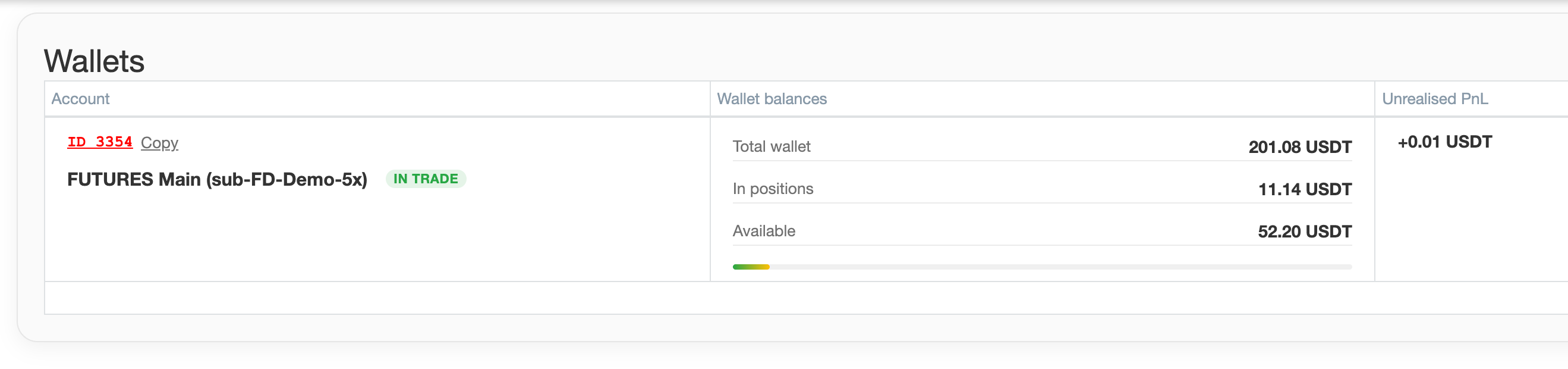
For each account, users can review basic account information, including:
- account identifier;
- account name;
- whether the account is currently marked as In trade.
The In trade marker helps quickly identify which accounts already have open positions and which ones are currently free from active futures exposure.
Wallet balances
The most important part of the section is the balance overview for each account.
Users can compare three key values:
- Total wallet
- In positions
- Available
These three values help answer a very practical question: how much capital is already working inside positions, and how much is still free for new activity.
In trade status and capital usage
When part of the capital is already in use, the page shows the load on the account visually.
You can quickly see how heavily an account is already committed without reading every value in detail.
For users who operate several futures accounts at once, this makes comparison much easier and helps avoid opening new trades on an account that is already too busy.
Unrealised PnL
The section also shows Unrealised PnL for each account.
Use this when you want to see whether the account is currently in profit or drawdown without opening the full trading workspace.
Wallets helps you quickly review the overall account status in the Futures module.
Working with the page
Like other major tables in Firedrake, the Wallets section supports practical day-to-day actions such as:
- searching through accounts;
- adjusting the visible columns;
- saving a preferred layout;
- manually refreshing the data.
The page also includes a status indicator that helps show whether the displayed data is updating normally.
When to use this section
Use the Wallets page when you want to:
- quickly assess the state of futures accounts;
- compare capital usage across accounts;
- check whether enough free funds remain for new trades;
- review unrealised result before moving to the Terminal or Dashboard.
This page gives you the capital context before you move to the more detailed Futures screens.