Card Generation
The Terminal supports visual cards for both open positions and closed deals.
Use this function when you want to present a position or a result in a cleaner format, save it for reporting, or share it outside the platform interface.
What card generation is for
Card generation turns position data into a visual summary.
This is useful when you want to:
- share a live position update;
- show the result of a completed trade;
- prepare a cleaner report image;
- keep a visual summary for communication or record-keeping.
The function is available for both:
- open positions
- closed deals
Cards for open positions
From Open Positions, users can generate a card for a live position.
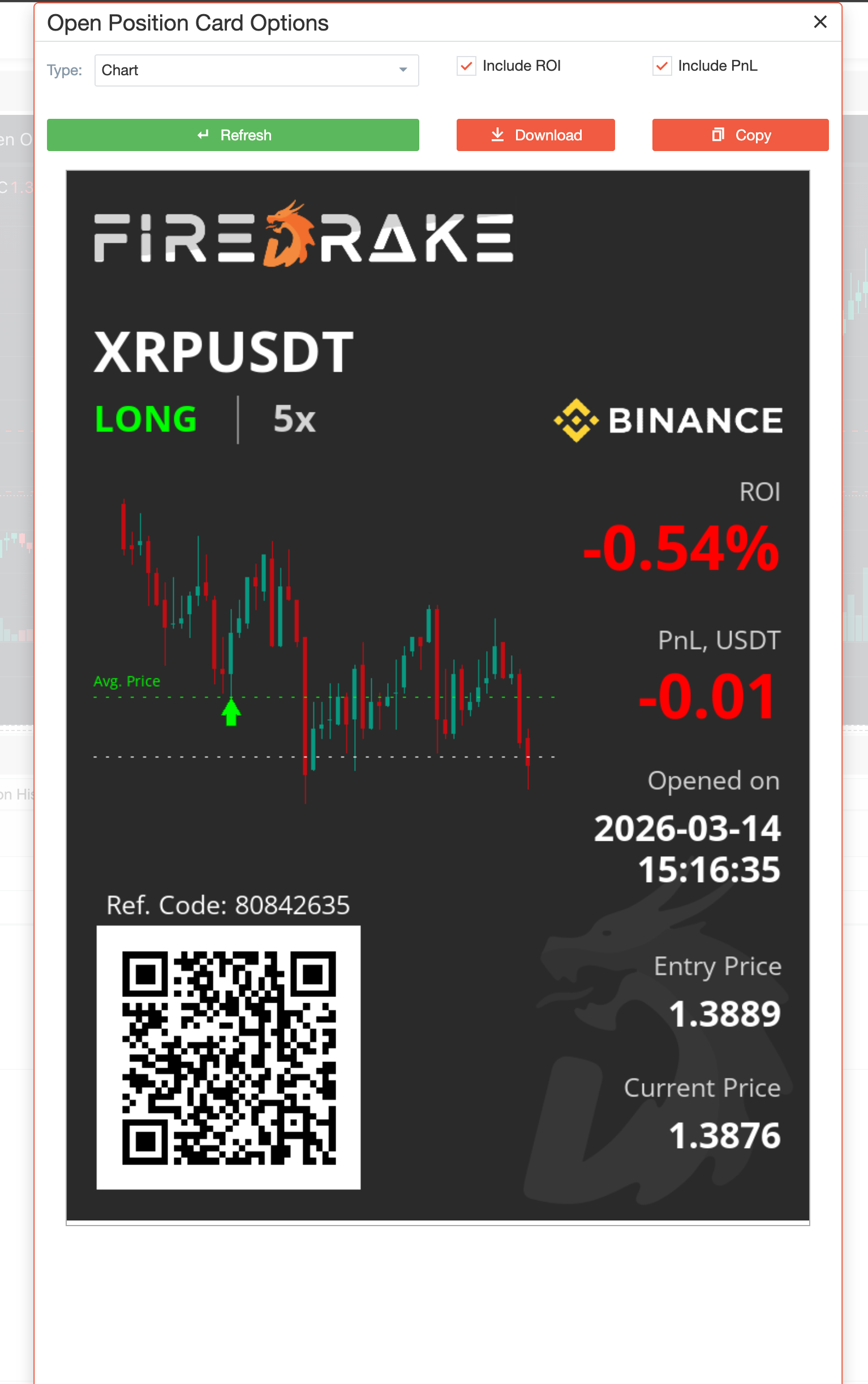
For open positions, the card generator supports:
- different visual output types;
- optional inclusion of ROI;
- optional inclusion of PnL;
- preview before final use;
- Download;
- Copy.
This makes the function practical for users who want a more presentable live-position summary than a raw table row.
Cards for closed deals
From Position History, users can also generate a card for a completed deal.
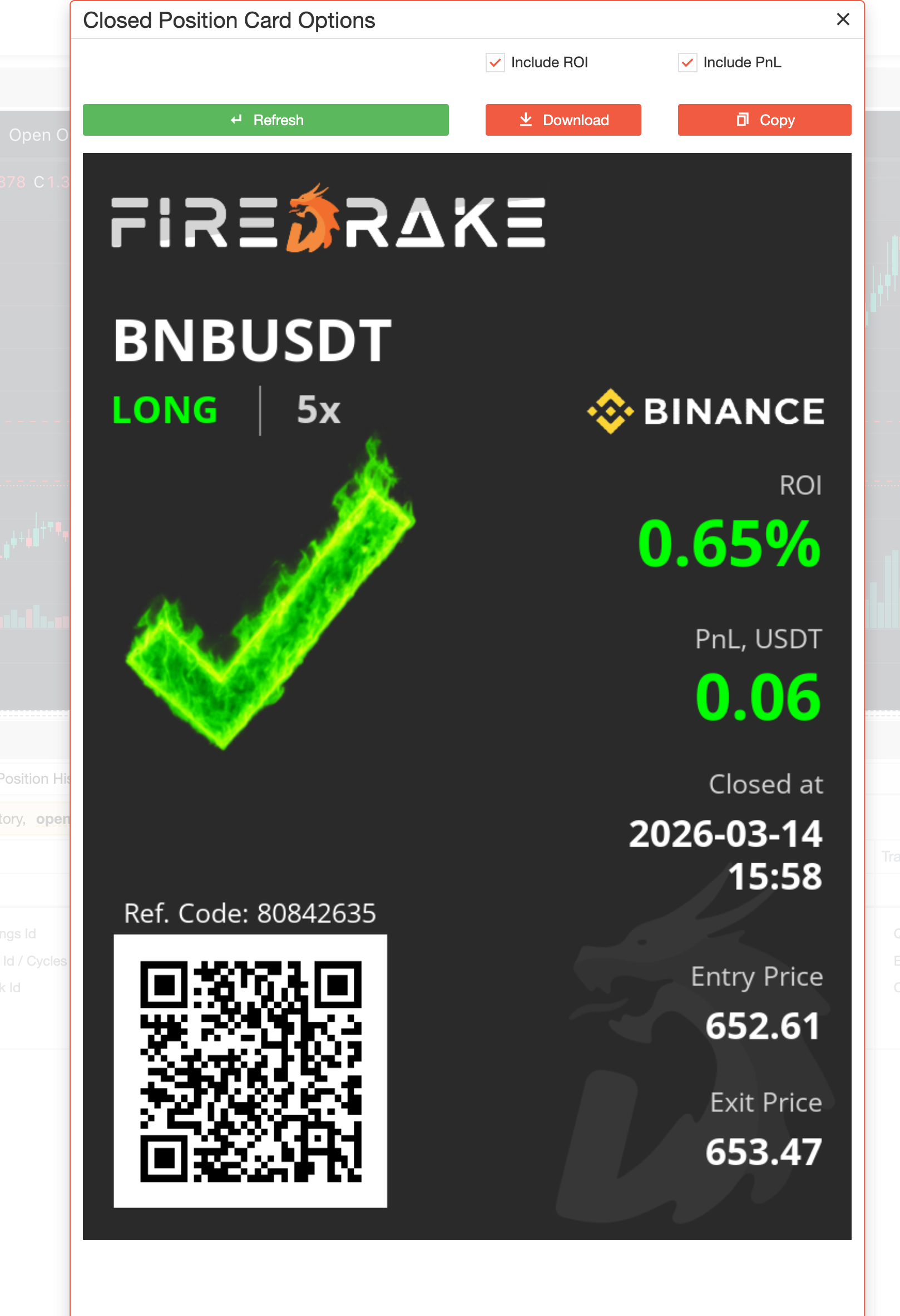
This is helpful when you want to present a finished trade in a cleaner format after it has already been closed.
Just like the open-position card flow, the result can be previewed, downloaded, or copied.
Practical use cases
Card generation is especially useful in situations such as:
- sharing trade updates with other people;
- preparing a visual result for reporting;
- publishing a clean position or result summary;
- keeping a visual archive of active or completed trades.
Typical workflow
A common workflow looks like this:
- Open Open Positions or Position History.
- Start the card generation action for the selected position or deal.
- Choose the desired card options.
- Preview the result.
- Download or copy the card for further use.
Summary
Use Card Generation when you want to:
- turn a position or deal into a visual summary;
- prepare a cleaner result for sharing or reporting;
- preview the card before exporting it;
- download or copy the final card.