Trading Pairs
The Trading Pairs section is used to create reusable sets of futures instruments.
Open this section when you want to define exactly which instruments a strategy can trade instead of letting it work with the full available list.
Why this section exists
Trading Pairs are placed in a separate section because the same set of instruments can be reused across multiple strategies.
Keeping this in a separate section makes pair selection easier to maintain and reuse. Instead of selecting pairs manually each time, you can create a named set once and use it again later.
What users do here
In this section, users create and manage named sets of pairs.
Each set can then be used as part of strategy configuration.
Use this when you want to:
- focus only on a selected group of instruments;
- separate different strategies by instrument type;
- avoid repeating the same pair selection again and again;
- keep strategy setup more organized.
What a pair set contains
A Trading Pairs set usually includes:
- a clear name for the set;
- a white list of allowed pairs;
- a black list of excluded pairs.
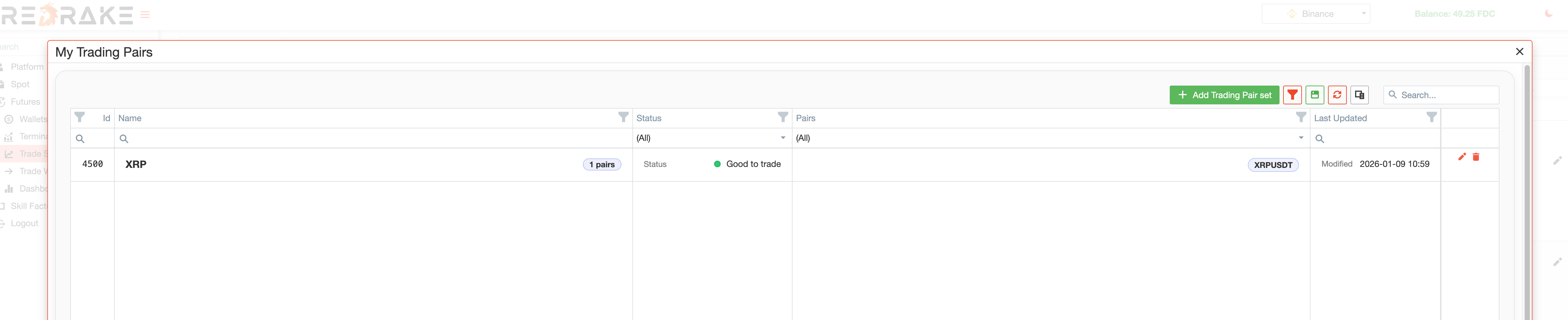
White list and black list
The most important part of this section is understanding how these lists are used.
White list
The white list is the list of pairs that the strategy is allowed to trade.
This means:
- if a pair is included in the white list, the strategy can use it;
- if a strategy uses a white list, it is intentionally limited to that selected group of instruments.
Use a white list when you want tight control over where a strategy is allowed to trade.
Black list
The black list is the list of pairs that the strategy should ignore.
This means:
- if a pair is added to the black list, the strategy skips it;
- use it when you want to exclude specific instruments without rebuilding the full allowed set from scratch.
This approach works well when a strategy should cover a broad group of instruments, but a few specific pairs should always be excluded.
Creating or editing a pair set
When creating or editing a set, the user gives it a name and then adds the required pairs to the white list, black list, or both, depending on the desired setup.
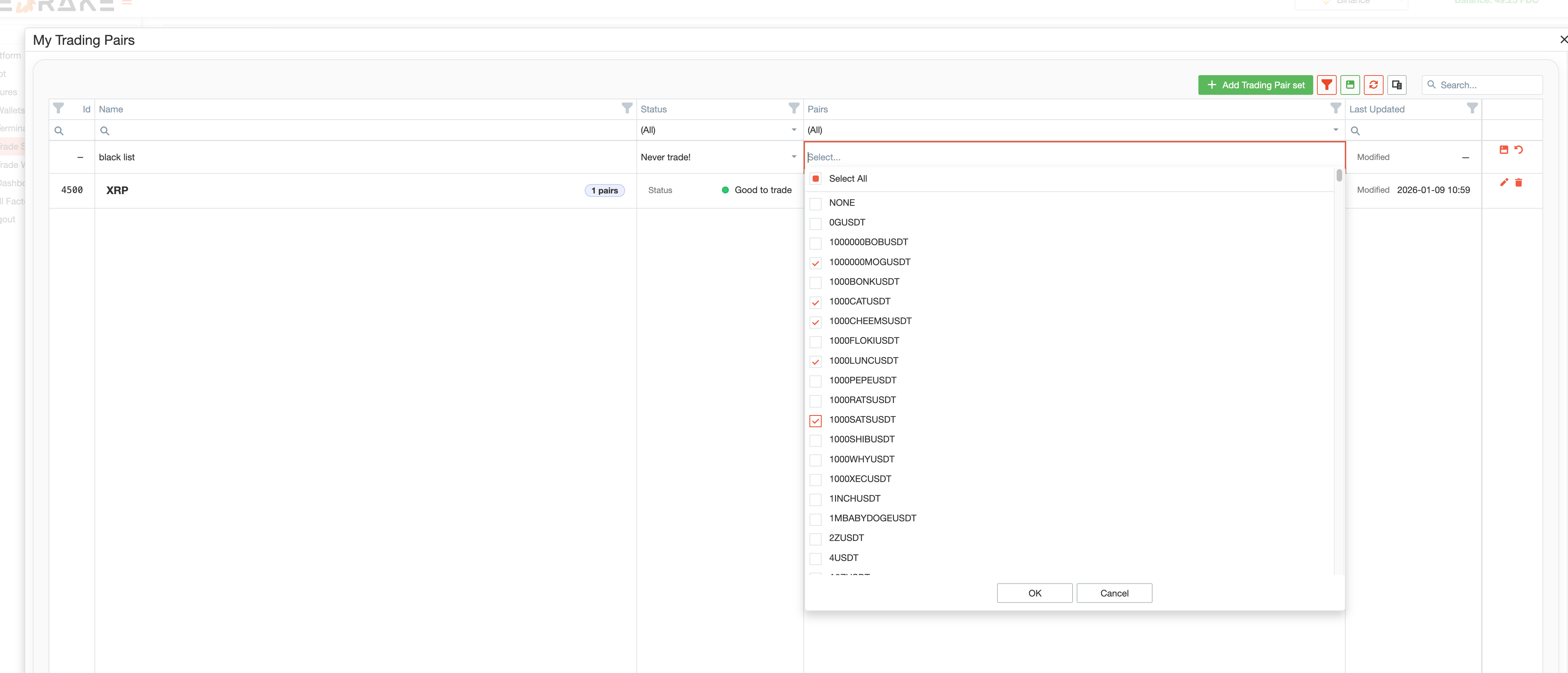
The main goal is simple: prepare a reusable selection of instruments that can later be applied in strategy settings.
Main actions
This section supports the practical actions users expect from a reusable configuration tool.
Users can:
- create a new pair set;
- edit an existing set;
- delete a set that is no longer needed;
- search and filter the list;
- save their preferred table layout.
The section supports both initial setup and later strategy adjustments.
How Trading Pairs are used in strategies
Trading Pairs are not used on their own. They are meant to be selected later in Trade Strategies.
This means a strategy can use a predefined set instead of relying on the full available list of instruments.
This gives users a few practical advantages:
- strategy setup becomes faster;
- instrument selection becomes easier to control;
- pair selection becomes reusable and easier to maintain.
Typical workflow
A typical workflow looks like this:
- Open Trading Pairs.
- Create a new set with a clear name.
- Add the pairs that should be allowed.
- Add excluded pairs if some instruments should always be ignored.
- Save the set.
- Go to Trade Strategies and assign this pair set to a strategy.
Summary
Use Trading Pairs when you want to control which futures instruments a strategy can trade.
The section makes pair selection a reusable and manageable part of strategy settings.