Profile & Referral
The Profile & Referral section is designed for managing basic user profile settings and working with the Firedrake referral program.
Profile Information
The Profile Information block contains basic information about the user profile:
- Profile ID
- Linked Telegram ID

This data is critically important when interacting with support. Profile ID is used for quick user identification and allows for rapid access to all account settings when resolving incidents or issues.
Subscription & Referral
The Subscription & Referral section displays:
- information about the status and expiration date of the annual subscription (if activated);
- the referral link used for registration.
Settings & Info
The Settings & Info block shows:
- the current account time zone;
- the profile creation date and time.
The Edit button opens basic profile settings. This is the same set of parameters available when clicking the gear icon in the interface.
A detailed description of basic profile settings is available in the general interface overview: Basic Profile Settings
Email Notifications
The Email notifications block manages the emails Firedrake sends to you.
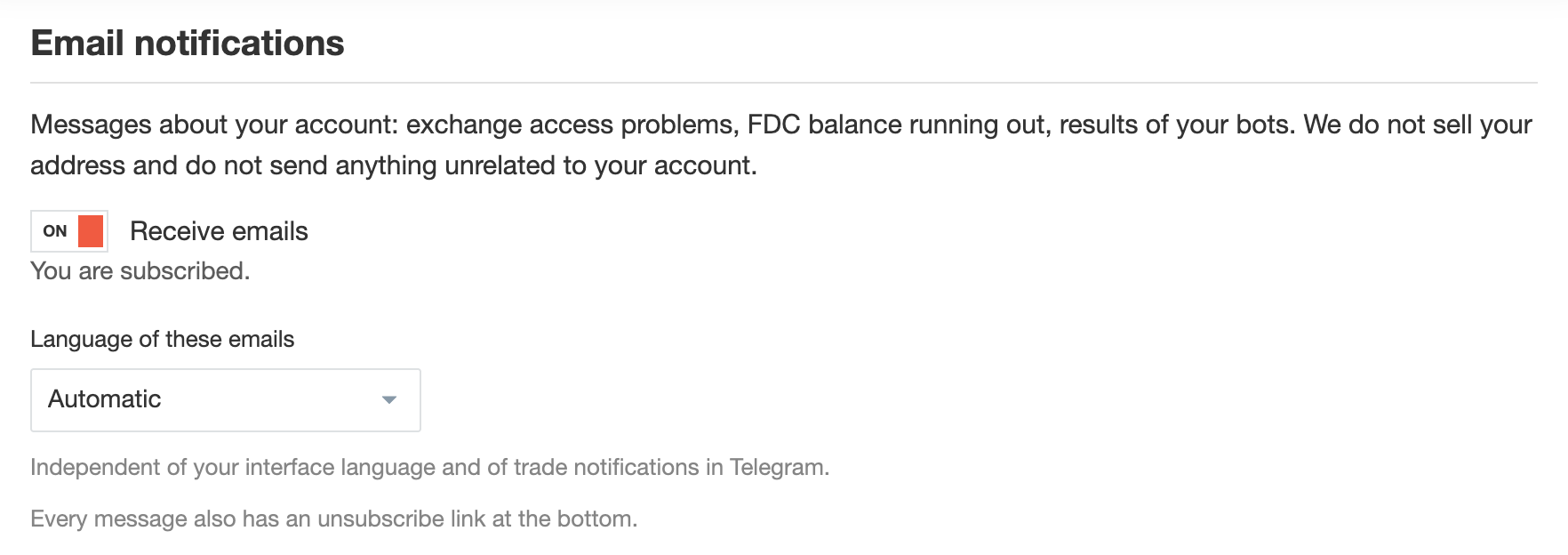
These are messages about your account and the work of your bots — for example, problems with access to the exchange or a Spending Wallet balance that is running out. Firedrake does not sell your address and does not send anything unrelated to your account.
- Receive emails: Turns emails on or off. The current status (subscribed or unsubscribed) is shown below the switch. Every new user is subscribed by default.
- Language of these emails: Automatic, Russian, or English. This setting is independent of the interface language and of the language of your Telegram notifications.
Every email also has an unsubscribe link at the bottom. You can subscribe again at any time with the same switch.
If your mail provider rejects our messages, sending is disabled and both settings in the block become unavailable. In that case, write to support via the Support item in the main menu.
My Referral Dashboard
The My Referral Dashboard section is designed for the referral program.
Referral Link
This section displays the user's personal referral link.

If a new user registers using this link and starts using the platform, the link owner receives 20% in FDC of every FDC purchase made by the invited user.
All referral program rewards are credited to the Withdrawable Balance of your Spending Wallet and can be used in one of the following ways:
- Transferred to the Service Balance and used to pay Firedrake fees;
- Withdrawn to an external wallet after accumulating a minimum of 100 FDC.
ℹ️ Withdrawal to an external wallet is only possible with a balance of 100 FDC or more. Smaller amounts are only available for use within the platform.
Statistics
The Dashboard also displays the total number of users registered via your referral link.
Invited Users
The Invited Users table lists all users you have invited. For each user, the following is displayed:
- registration and activity information;
- the amount of your commission for the current month.
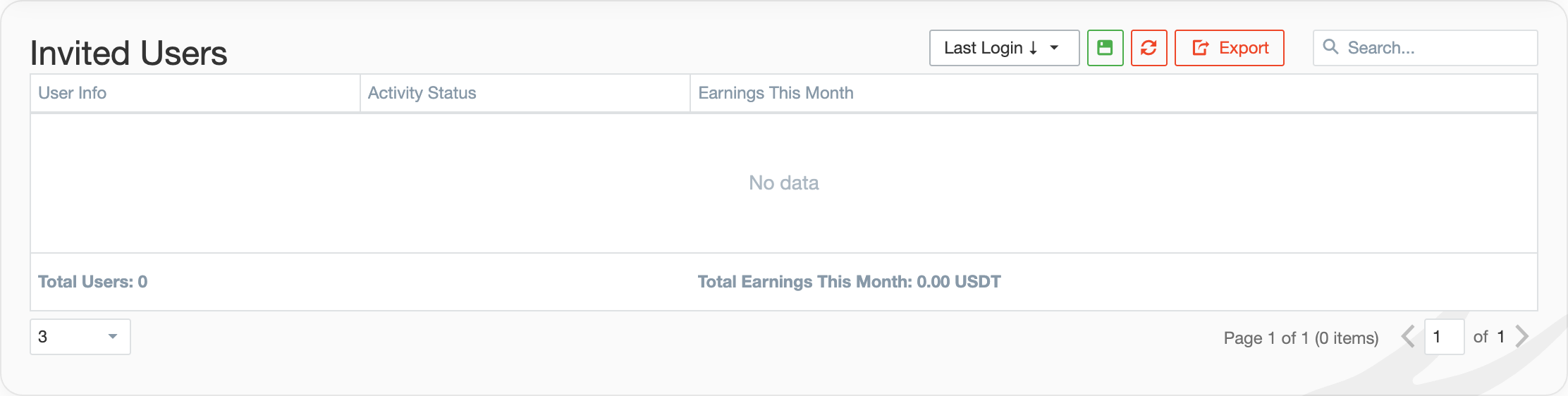
Referral rewards are credited on the 1st day of each month for the previous billing period. Funds are credited to your Firedrake Spending Wallet.
Additional Terms
There are no limits on the number of invited users.
If you are an influencer or plan to attract a significant number of users, special cooperation terms are possible. To discuss partnership terms, use the contact email listed on the page.